

Adding counterparties
Creating a Counterparty
Before a business can send money to an external bank account or wallet, the recipient must first be registered as a counterparty.
A counterparty represents any business outside the Fuze ecosystem that your customer exchanges money with. Creating this record allows Fuze to perform compliance screening, maintain an audit trail, and reuse the same beneficiary across future payments.
When should you create a counterparty?
Create a counterparty whenever your customer is going to interact with an external account.
Examples include:
- Paying a supplier
- Sending money to a partner business
- Receiving funds from a known customer
- Registering the customer's own bank account for withdrawals
A counterparty only needs to be created once. After that, multiple bank accounts or wallet addresses can be linked to the same record.
Counterparty types
- SELF - the counterparty is the business's own account elsewhere, such as an account held at another bank or a wallet the business controls.
- THIRD_PARTY - a different business entirely, such as a supplier, vendor, or partner business.
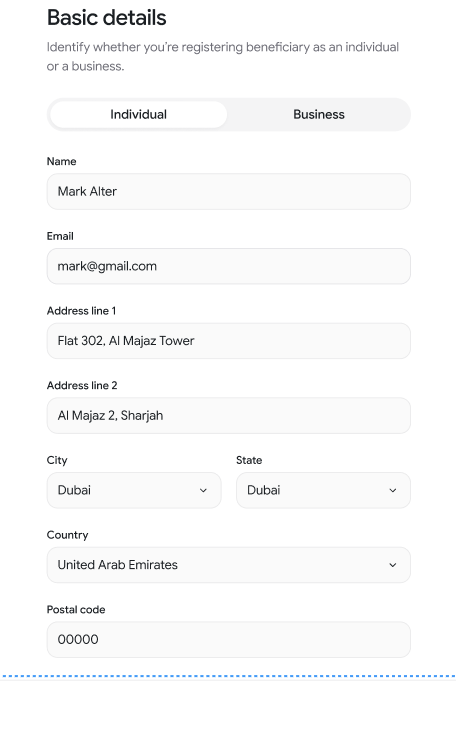
Creating the counterparty
Call the Create Counterparty API and provide:
orgUserId– the business that owns this counterpartycounterPartyId– your unique identifier for the beneficiarytype–SELForTHIRD_PARTY- Business information such as:
- Name
- Registered address
Once created, Fuze returns a counterparty record with its status and metadata.

For example:
{
  "code": 200,
  "error": null,
  "data": {
    "orgUserId": "sherlock_holmes",
    "counterPartyId": "john_watson",
    "name": "John Watson",
    "email": "[email protected]",
    "type": "THIRD_PARTY", //SELF or THIRD_PARTY
    "status": "ACTIVE",
    "createdAt": "2023-10-01T00:00:00Z",
    "updatedAt": "2023-10-01T00:00:00Z",
    "address": {
      "addressLine1": "221B Baker St",
      "addressLine2": "London",
      "city": "London",
      "state": "Greater London",
      "country": "GB",
      "postalCode": "NW1 6XE"
    }
  }
}
Why register counterparties
Registering counterparties up front improves compliance screening, lets you reuse a saved destination across many payments, and keeps reconciliation consistent even if account details change later.
Managing counterparties
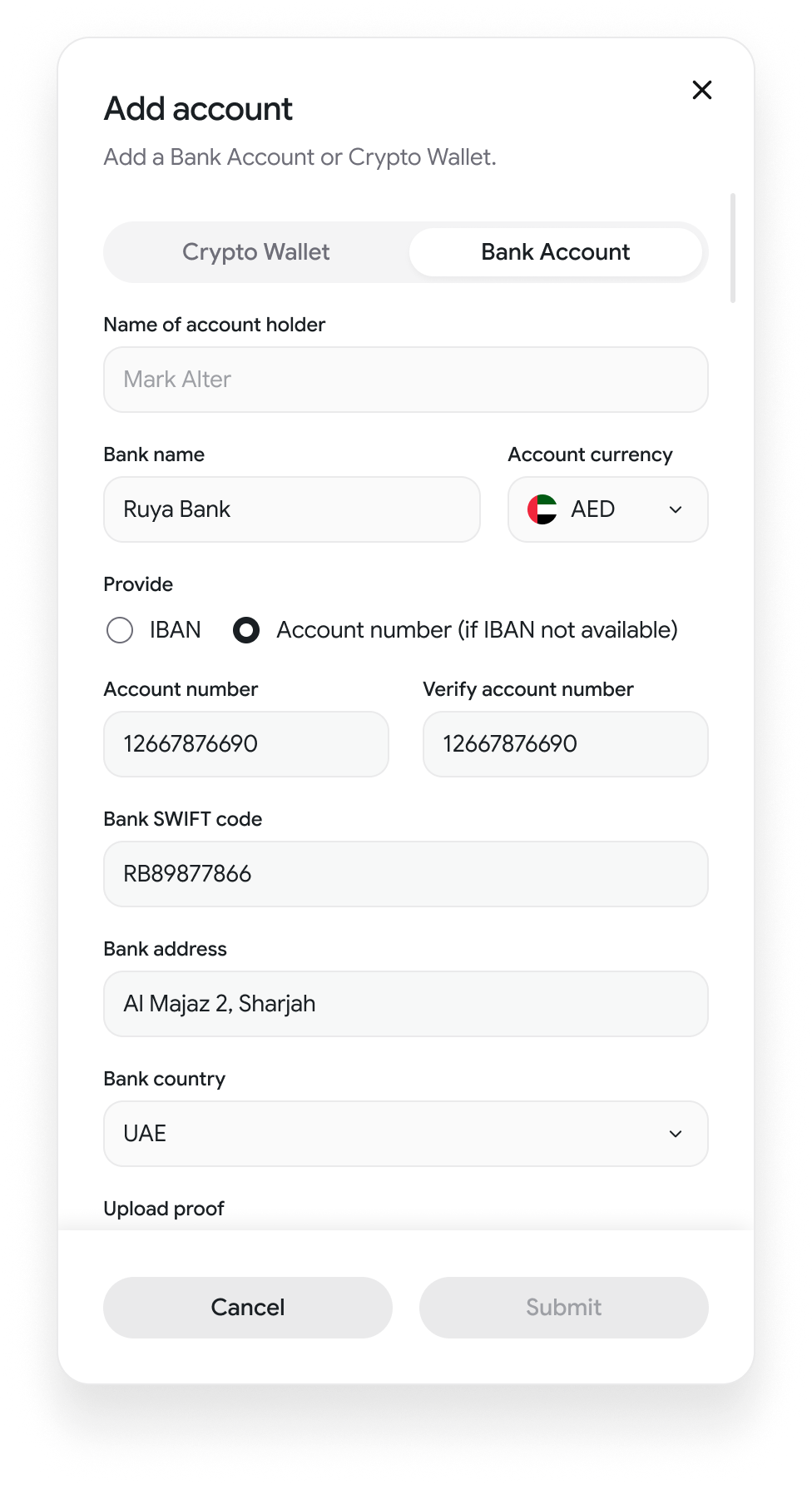
Call Create counter-party with the owning orgUserId, a counterPartyId, and a type, then attach a destination by linking it to an external account or wallet. Manage it going forward with Get counter-party, List counter-parties, or Delete counter-party.
Updated about 1 month ago